peonping-homepage
Stop babysitting your terminal
The project that inspired native sound hooks in VS Code (50M+ users)
Game character voice lines the instant your AI agent finishes or needs permission. Or let the agent choose its own sound via MCP. The idea that inspired Microsoft to add native sound hooks to VS Code for 50M+ users. Works with Claude Code, Codex, Cursor, OpenCode, Kiro, Windsurf, Antigravity, Rovo Dev CLI, and more. Never lose flow to a silent terminal again.
brew install PeonPing/tap/peon-ping
or curl -fsSL peonping.com/install | bash
peon-demo: ready
$ claude
🔊 "Ready to work?"
Claude is working...
[you tab to Slack]
🔊 "Something need doing?" — permission needed
[you hear it, switch back, approve]
Claude continues working...
🔊 "Work, work." — done
>
Sound check
Meet your new coworker
Click to play. These are the actual sounds you'll hear.
Sound packs
Choose your character
Swap packs with one line in config. Click sounds to preview.
Build your install
Pick your packs
Select the sound packs you want. Your custom install command updates live.
5 packs selected
curl -fsSL https://raw.githubusercontent.com/PeonPing/peon-ping/main/install.sh | bash
Details
Tuned for real work
🔊
Volume control
0.0 – 1.0 in config. Quiet enough for the office.
🔀
No repeats
Tracks last played per category. Never the same line twice in a row.
🎛
Category toggles
Enable or disable greeting, acknowledge, complete, error, annoyed individually.
📋
Tab titles
Terminal tab shows project name and status. Dot indicator when done.
🔔
Desktop notifications
Push alerts when your terminal isn't focused. Never miss a permission prompt again.
🛠
Multi-IDE
Works with Claude Code, Codex, Cursor, OpenCode, Kiro, and Antigravity. Adapters for any IDE with hooks.
📦
Pack system
160+ packs across 14 languages. Pick your favorites or create your own.
💪
Peon Trainer
300 pushups & squats daily. Session-start reminders, mid-conversation logging, periodic nags. See how it works.
🔌
MCP server
Let the AI agent choose the sound. Call play_sound directly from Claude Desktop, Cursor, or any MCP client.
New in 2.0
Peon Trainer Mode
300 pushups. 300 squats. Every day. The Peon nags you between coding sessions so you get jacked while shipping code.
1
Session starts
Peon greets you with a workout reminder the instant you open Claude Code.
🔊 "Session start! You know the rules. Pushups first, code second! Zug zug!"
2
Log reps mid-conversation
Use the Claude Code skill to log without leaving your session.
$ /peon-ping-log 25 pushups
🔊 "Not bad for puny human."
3
Periodic reminders
Every ~20 minutes, Peon reminds you to do more reps. Escalates if you slack.
🔊 "You sit too long! Peon say do pushups NOW!"
✓
Daily goal complete
Hit 300 and Peon celebrates. No more reminders for the rest of the day.
🔊 "THREE HUNDRED! Human strong like orc now!"
peon trainer on
Desktop pet
Watch your Peon work
An animated orc sits in the corner of your screen and reacts to every Claude Code event — sleeping, waking up, typing, celebrating, and more. Session dots show all active Claude Code windows at a glance.
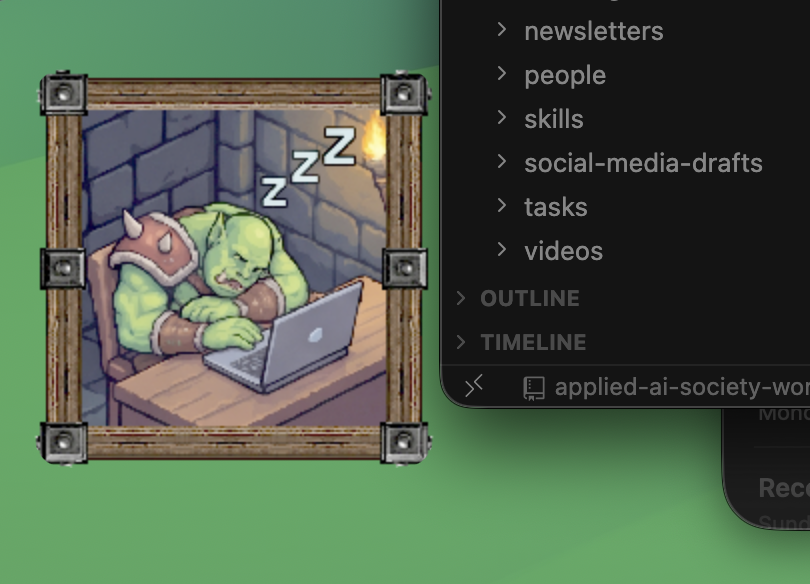
peon-pet — macOS, Electron + Three.js, open source
Ready to work?
One command. Works with Claude Code, Codex, Cursor, OpenCode, Kiro, and Antigravity on macOS, Linux, and WSL2.
brew install PeonPing/tap/peon-ping
or curl -fsSL peonping.com/install | bash